
Sprint orienteering maps use special symbols to depict areas with two runnable levels. There are three important symbols to wrap your head around:
- Candy stripes: White stripes mean that this part of the map is multilevel. The colours between the stripes indicate what features are on the top (upper level). It might be paved, canopy, etc. The white stripe means it is possible to run underneath the top mapped level.
- Shark teeth: Act like a wall on the top level, but a passage through on the lower level. Think of this like the railings of a high balcony. You can’t jump off the balcony to the paved area below, but you can freely move underneath to get to the lower level.
- Underpass dots: The opposite of shark teeth! Act like a wall on the lower level, but can access the top level. Think of this like the outline of a tunnel. You can run straight over the top to the upper level, but underneath is a wall that blocks you. These might sometimes be removed if there’s not enough space for them on the map.
Simple example: Here, two roads cross each other using a bridge (depicted with candy striping). It is possible to travel East-West onto the upper level by crossing over underpass dots, above the road underneath and continuing along. Alternatively, you can head for the lower level by crossing through shark teeth.

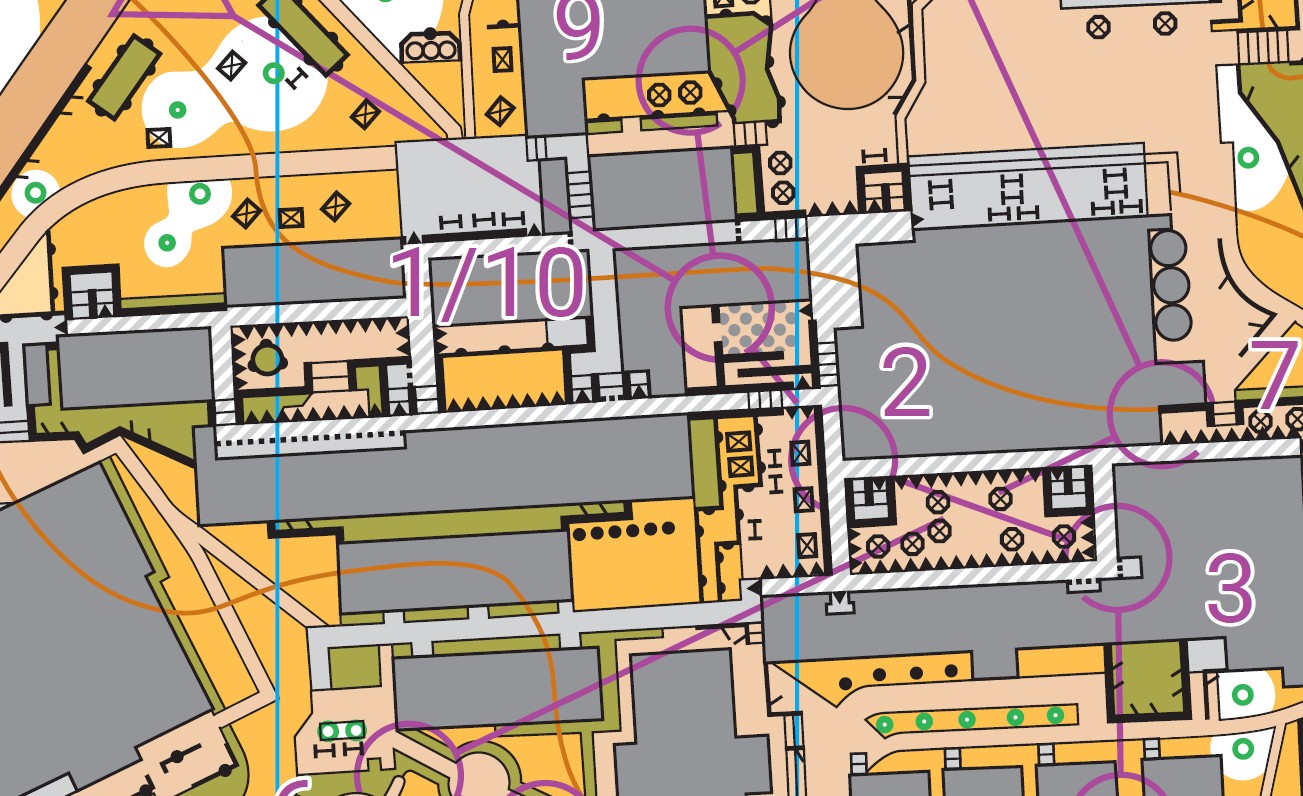
More complex example: Here is a snippet of the Karabar map. To get to the lower level, travel underneath shark teeth that mark the end of the balcony and head straight for the candy stripes. Alternatively, you can go from the top to the bottom by taking the stairs. The upper level is canopy, as seen by the grey coloured stripes. Remember that teeth represent a way to get to the bottom level. Any other gap and it’s a way onto the top!

If you have a control placed on candy stripes, it might be on the upper or lower level. You can use your control descriptions to work out which. Here in the ACT, we use column C (the one immediately after your control code) to describe multilevel. If you see:

it means your control is on the upper level.

it means your control is on the lower level.
So, if you see your control on candy stripes, check the descriptions and you can zoom straight to your control without wasting time searching on the wrong level! Check out another explanation if you want to see another real life example. Elite runners should note that there are some more complex rules out there, particularly regarding control descriptions. If you’re interested in delving into the complexities of multilevel, see the IOF website, and O-Map Wiki.